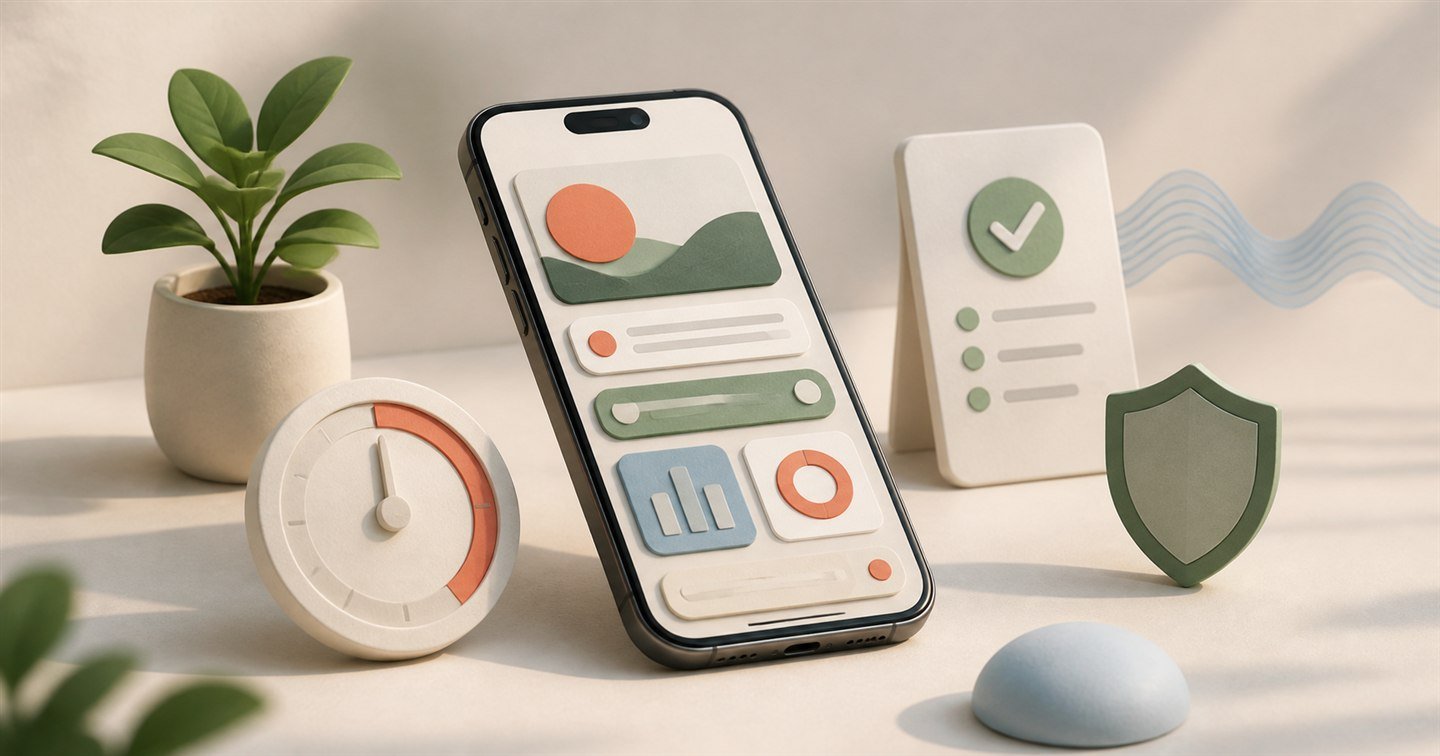
Forest is memorable because it turns staying away from your phone into something you can see: start a session, grow a tree, and protect the forest you have built.
But a virtual forest is not the right motivation for everyone. You may need stricter app blocking, a more flexible Pomodoro timer, live accountability, deeper statistics, task management, or a focus system that follows you from iPhone to Mac and Apple Watch.
We compared the apps below by looking at their focus workflow, distraction controls, planning features, device support, and the type of person each approach suits best.
At a glance
Best Forest alternatives compared
No app wins every category. Use this table to narrow the list before reading the detailed reviews.
| App | Best for | Focus timer | App blocking | Planning | Apple Watch |
|---|---|---|---|---|---|
 Deeply Deeply | Best all-round alternative | Pomodoro + stopwatch | Yes | Projects + planner | Yes |
 Opal Opal | Strict screen-time control | Focus sessions | Yes | Limited | No |
 Flora Flora | A Forest-like experience | Yes | Yes | Tasks + habits | No |
 Focus To-Do Focus To-Do | Tasks and Pomodoro | Pomodoro | Yes | Tasks + projects | Yes |
 Freedom Freedom | Blocking across devices | Blocking sessions | Yes | Schedules | No |
How we compared them
Five questions that matter more than the longest feature list
Does it protect focus?
A timer is only useful if the app also makes it easier to resist the distraction.
Can it fit your rhythm?
Custom sessions, breaks, schedules, and open-ended work suit different kinds of days.
Is planning connected?
Projects and tasks help turn “focus more” into a specific next action.
Where does it work?
Apple Watch, Mac, Windows, and Android support matter when distractions move between devices.
Will you keep using it?
The best system is calm, understandable, and motivating enough to return to tomorrow.
01 · Our pick
Deeply
Best all-round Forest alternative for Apple users
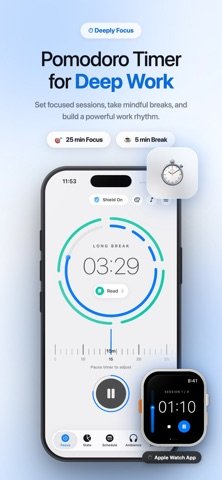
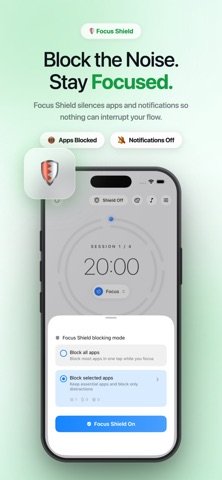
Deeply takes Forest’s core idea—protect a deliberate block of focus—and builds a more complete system around it. It combines customizable Pomodoro sessions, an open-ended stopwatch, app blocking, planning, live Focus Rooms, ambient sounds, and progress insights.
Focus Shield
Choose distracting apps and restrict access while a focus session or scheduled block is active.
Flexible timing
Use classic Pomodoro intervals, custom focus and break lengths, longer deep-work sessions, or a stopwatch.
Focus Rooms
Work alongside people in live spaces such as Cozy Café, Silent Library, and Coding Cave for gentle body doubling.
Apple ecosystem
Use Deeply across iPhone, iPad, Mac, and Apple Watch, with support for Live Activities, widgets, and iCloud sync.
Planning and insights
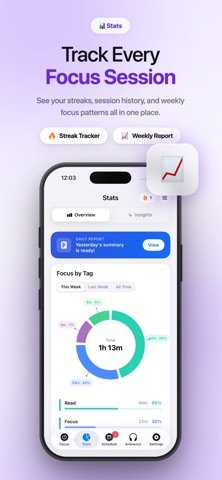
Organize projects and tags, schedule sessions, and review focus history, streaks, and productive hours.
A focus environment
Choose visual themes and ambient sounds, or connect Apple Music to make starting a session feel intentional.
02
Opal
Best for serious screen-time and app blocking
Opal treats distraction primarily as a screen-time problem. Instead of growing a tree, you create rules around when distracting apps and websites are available. Focus sessions, scheduled blocks, app limits, and usage insights make it a strong choice when softer reminders are too easy to ignore.
Deep Focus
A stricter mode designed to make a blocking session harder to cancel or bypass in the moment.
Screen-time insight
Focus Score and reports help you see the broader pattern behind repeated app checking.
Rules and schedules
Build recurring blocks, app limits, blocklists, and intentional breaks around your daily routine.
03
Flora
Best if you love Forest’s tree-growing idea
Flora is the most familiar transition for someone who enjoys Forest’s visual reward. Plant a seed when you begin, stay focused while it grows, and avoid leaving the session early. It adds to-do lists and habit tools without abandoning the playful growing metaphor.
Familiar motivation
Your focused time becomes a growing virtual tree, making completed sessions feel tangible.
Tasks and habits
Connect focus time to things you need to finish instead of maintaining a completely separate task list.
Real-world angle
Optional tree-planting features connect the virtual experience with environmental projects.
04
Focus To-Do
Best for task management plus Pomodoro
Focus To-Do is built for people who want their timer to answer a practical question: “What should I work on next?” You can attach Pomodoro sessions to tasks and projects, then see where your study or work time actually went.
Structured workload
Organize tasks, projects, subtasks, priorities, reminders, recurring work, and estimated Pomodoros.
Time tied to tasks
Start a focus session against a specific assignment or project instead of a generic timer.
Useful reporting
Review daily, weekly, and monthly patterns to understand how effort is distributed.
05
Freedom
Best for blocking distractions across devices
Blocking Instagram on your iPhone will not help much if you immediately open Reddit on your laptop. Freedom is built around that problem. Its blocking sessions and schedules can cover phones, tablets, and computers, making it the broadest cross-platform option here.
Cross-device sessions
Apply distraction blocks across iPhone, iPad, Mac, Windows, Android, and supported desktop environments.
Custom blocklists
Group the apps and websites that steal your attention, then activate that list for work or study.
Recurring schedules
Automate distraction-free periods so they begin without another decision at the start of your day.
Decision guide
Which Forest alternative should you choose?
Choose the app whose core behavior matches the reason Forest stopped fitting your workflow.
Worth remembering
Forest is still a strong focus app.
Forest currently offers a gamified focus timer, app Allow Lists, scheduled Time Guard blocking, screen-time tracking, statistics, soundscapes, achievements, and Apple Watch support. Switch because another workflow fits you better—not simply because something newer exists.
View Forest on the App Store ↗Frequently asked questions
Forest alternatives for iPhone
What is the best alternative to Forest on iPhone?
Deeply is our best all-round pick if you want a Pomodoro timer, app blocking, planning, body doubling, statistics, ambient sounds, and Apple device support in one app. Flora is the closer choice if the virtual-tree experience is what you most enjoy about Forest.
Is there a free alternative to the Forest app?
Yes. Deeply, Opal, Flora, Focus To-Do, and Freedom can all be downloaded or used with free functionality. Each also offers optional purchases or subscriptions, and pricing can vary by country.
Which Forest alternative can block apps?
All five apps in this guide offer distraction management or app blocking in some form. Deeply combines blocking with a focus timer, Opal specializes in screen-time control, and Freedom is designed to block distractions across multiple devices.
What is the best Forest alternative for studying?
Deeply and Focus To-Do are strong choices for students. Deeply adds app blocking, Focus Rooms, sounds, and flexible timers; Focus To-Do is particularly useful when detailed assignment and task management is the priority.
What is a useful ADHD-friendly Forest alternative?
Some people may find customizable timers, visible progress, app blocking, and body doubling useful. Deeply combines those features, while Opal focuses on stricter distraction control. A focus app can support a routine, but it is not a treatment for ADHD.
Is there a Forest alternative with body doubling?
Deeply includes live Focus Rooms where people work alongside one another in real time. The rooms provide lightweight accountability without requiring everyone to work on the same task.
Which Forest alternatives work on Apple Watch?
Deeply and Focus To-Do support Apple Watch. Forest itself also supports Apple Watch. App compatibility can change, so check the current App Store listing before downloading.
Our final take
Pick the system that makes starting easier.
Forest made focus more enjoyable by giving your attention something visual to build. Deeply is our pick when you want to add stronger blocking, flexible sessions, planning, body doubling, and Apple device support. Opal is better for strict screen-time control; Flora for tree-growing motivation; Focus To-Do for task-heavy workflows; and Freedom for cross-device blocking.
The goal is not the longest feature list. It is finishing what you intended to do.
Try Deeply free on the App Store